
The kiosk has a function that allows staff to return the rental product and switch to a fresh NFC card in a single workflow:
-
Log in to the administration panel on the kiosk using your PIN code.
-
Select 'Rental'.
-
Select 'Remove unit from compartment'.
-
Find the specific rental unit in question and press the 'remove' button to indicate that the card is defective or lost.
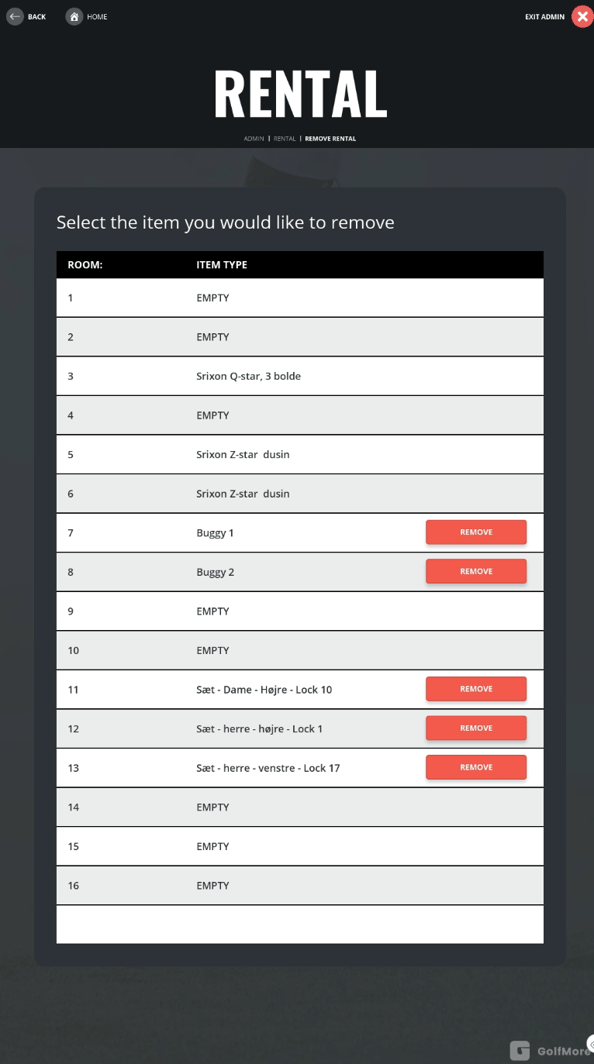
The NFC card is then detached from the rental unit, and the product is automatically registered as returned. Now, you can easily go to the 'Manage NFC Tags' menu item, where the unit will appear under the list 'Unassigned rentals'
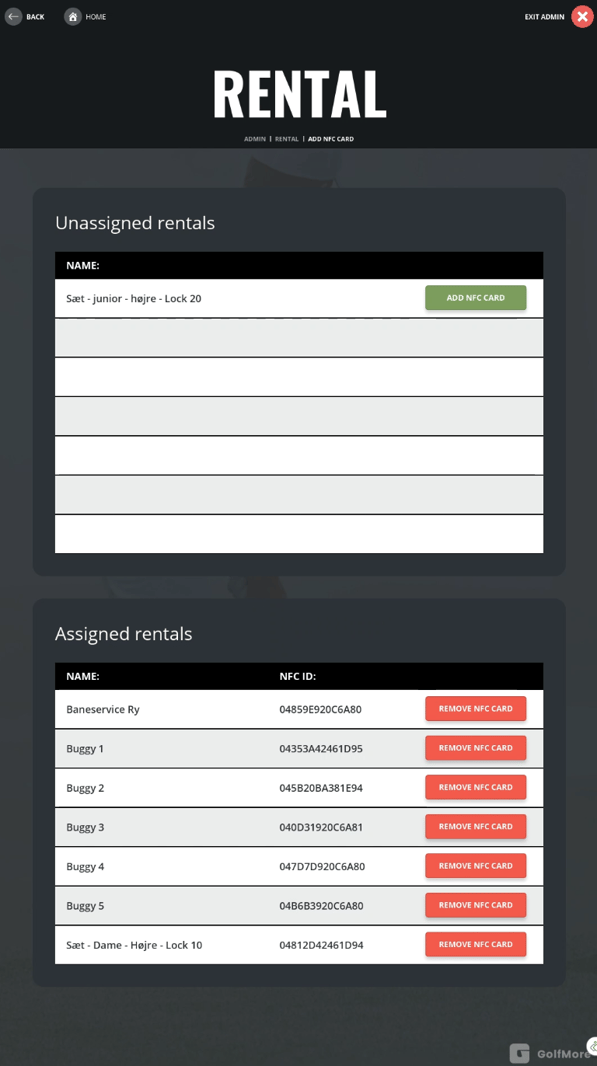
Press 'Add NFC card' next to the unit and scan the new NFC card that will belong to the key. The unit will now appear at the bottom of the list under 'assigned rentals', and you can place it back into the kiosk under the section Rental -> Add rental to room.
Thank you for reading - feel free to contact us in case you have any questions, suggestions or general feedback