
If the club has created products for the driving range that can be purchased in the app, these are available to the players. Some products are visible to everyone, while other products may be reserved for club members, and therefore only visible to them.
Here is how to purchase points in the app.
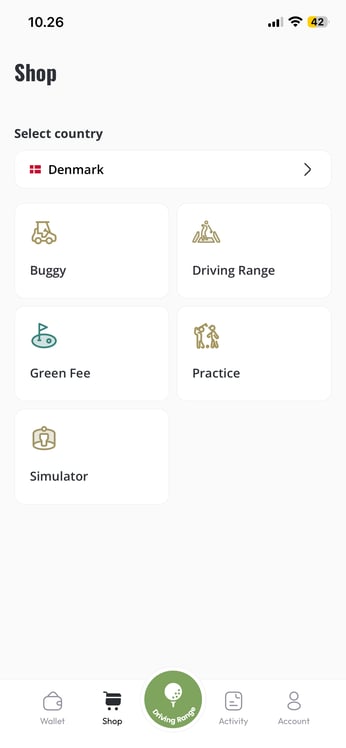
- Go to the 'shop' section of the GolfNext app
- Choose your desired country and then tap 'driving range'
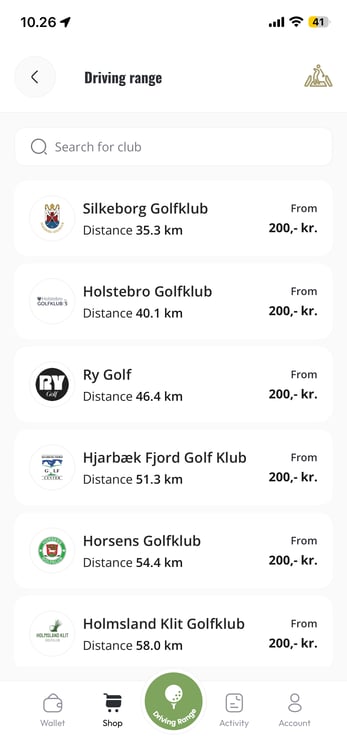
- Choose the club that you wish to purchase points from.
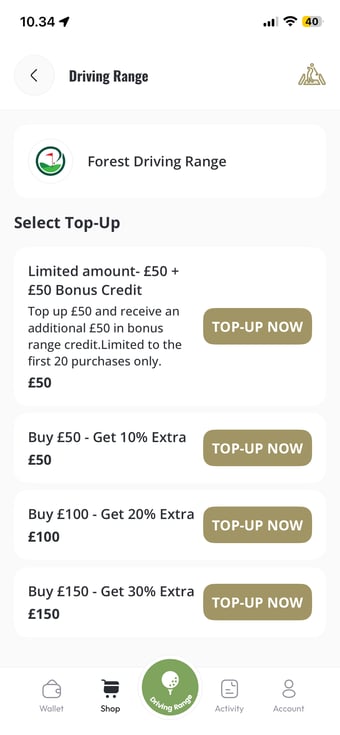
- Choose the desired product - note that some products might be limited, and some products even come with bonus amounts.
- You will now be redirected to a payment module. Depending on your location and device - this might look a little different.
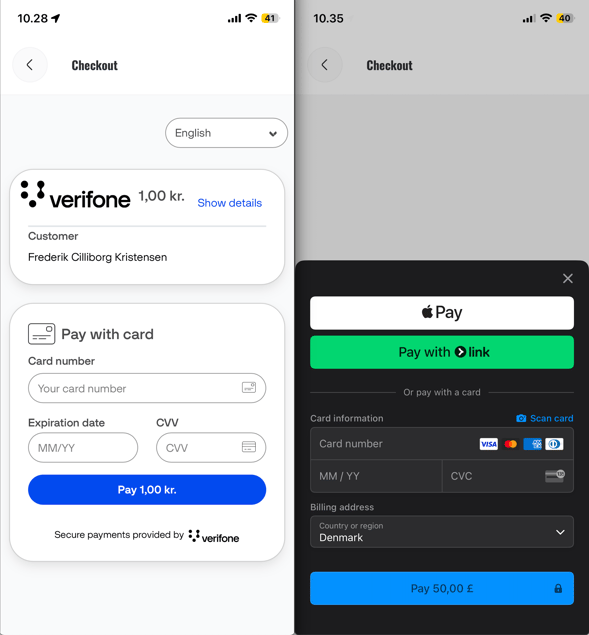
- Complete the purchase, and the points will then be available in your wallet for the desired club
Please note that your purchase is made directly with the club. No part of the transaction goes through GolfNext - we are simply the technical provider of the app. If you have any questions regarding the purchased product, or need a refund for some reason, you need to contact the golf club or driving range directly.
Thank you for reading - feel free to contact us in case you have any questions, suggestions or general feedback