
Our payment system, in addition to the GolfNext App, can also use NFC cards/chips as a payment method. (Some players may prefer not to use their phone, so a card can be a solution for them.)
If you don't already have NFC cards or NFC chips, we can offer cards like these below - please send us an email if you would like to order NFC cards at support@golfnext.com:
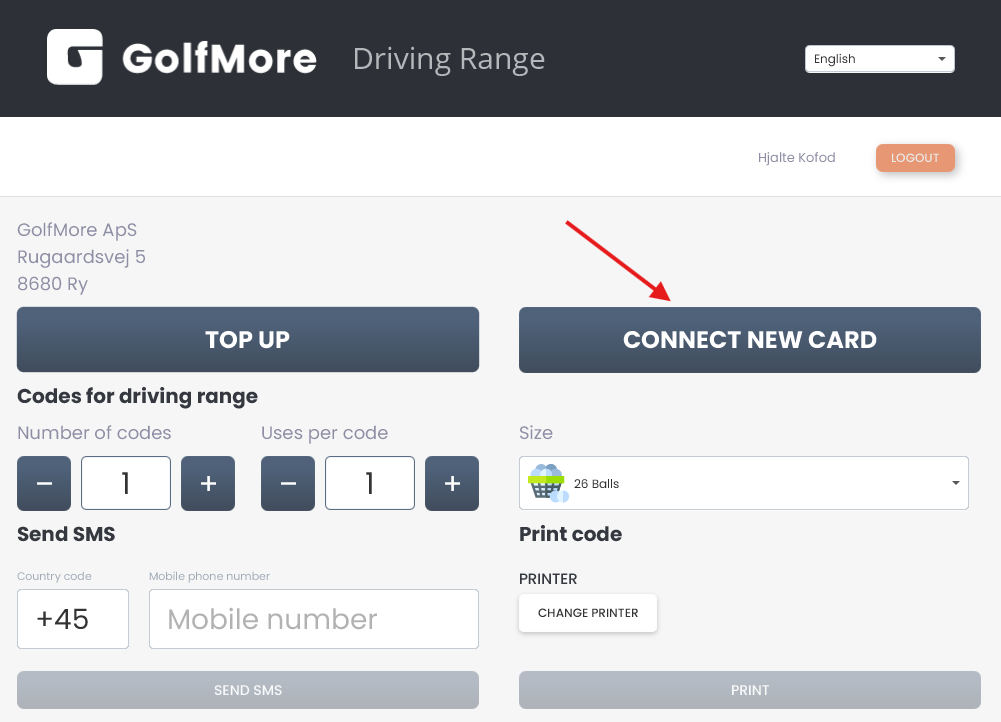
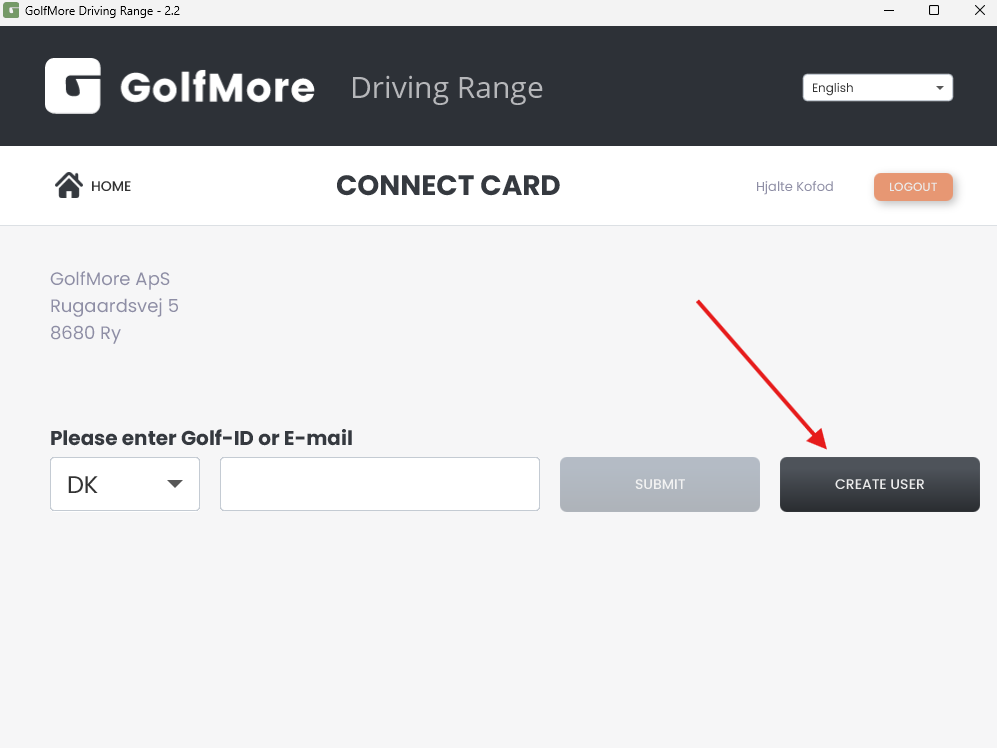
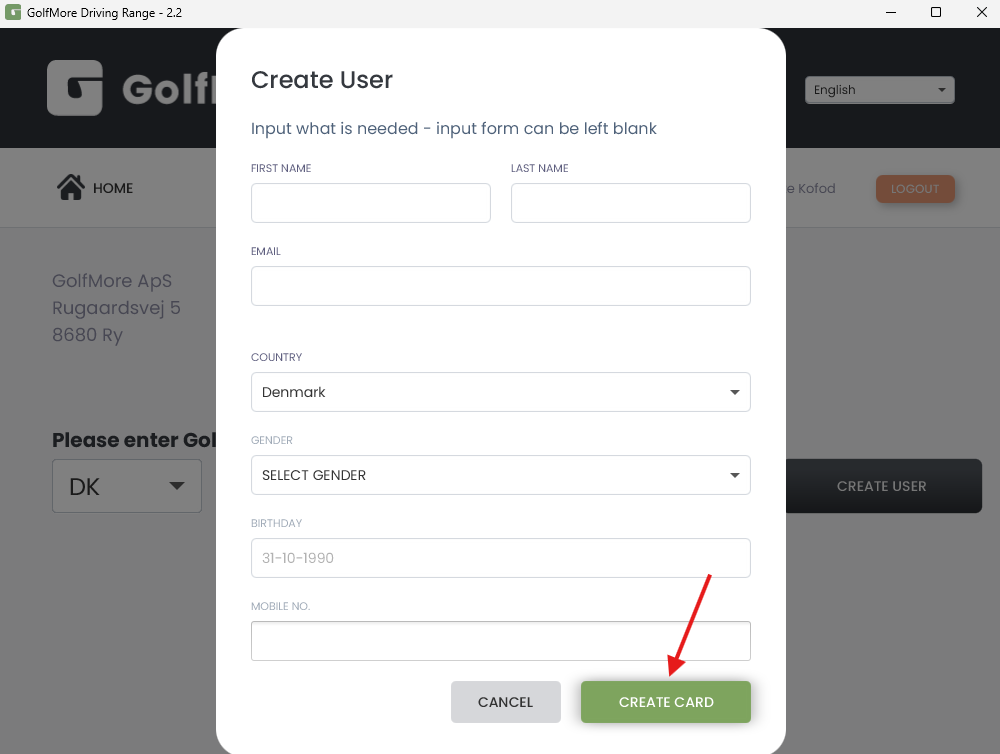
To connect the card to a customer's account, thereby making it easy to top up points, you will need to use the enclosed card reader/scanner.
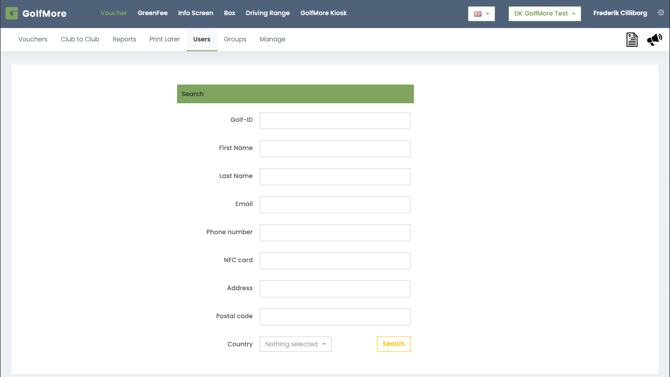
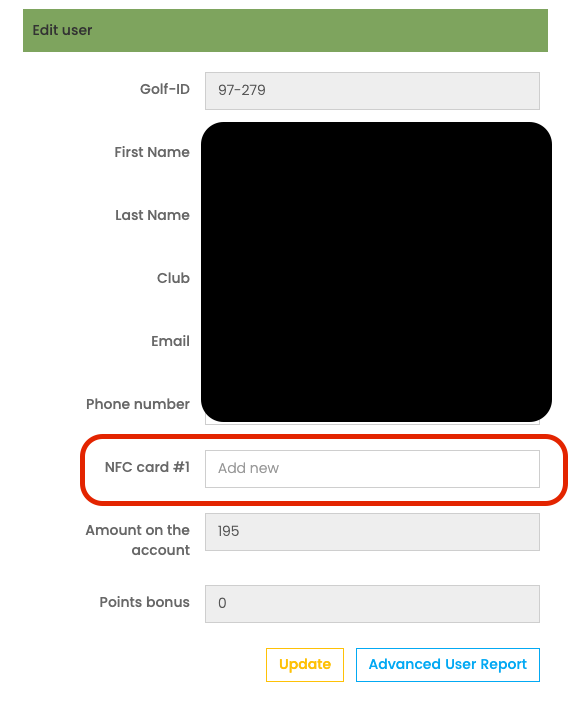
There are various methods of connecting the NFC card to the player.
Option 1:
Use the GolfNext Windows App, which you can download here
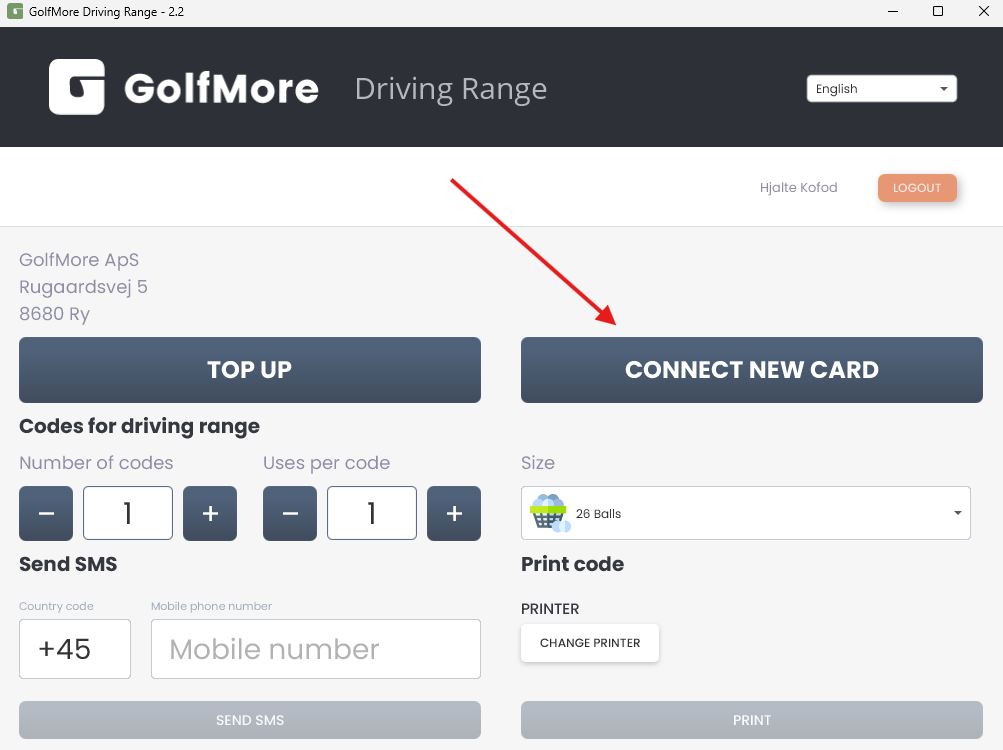
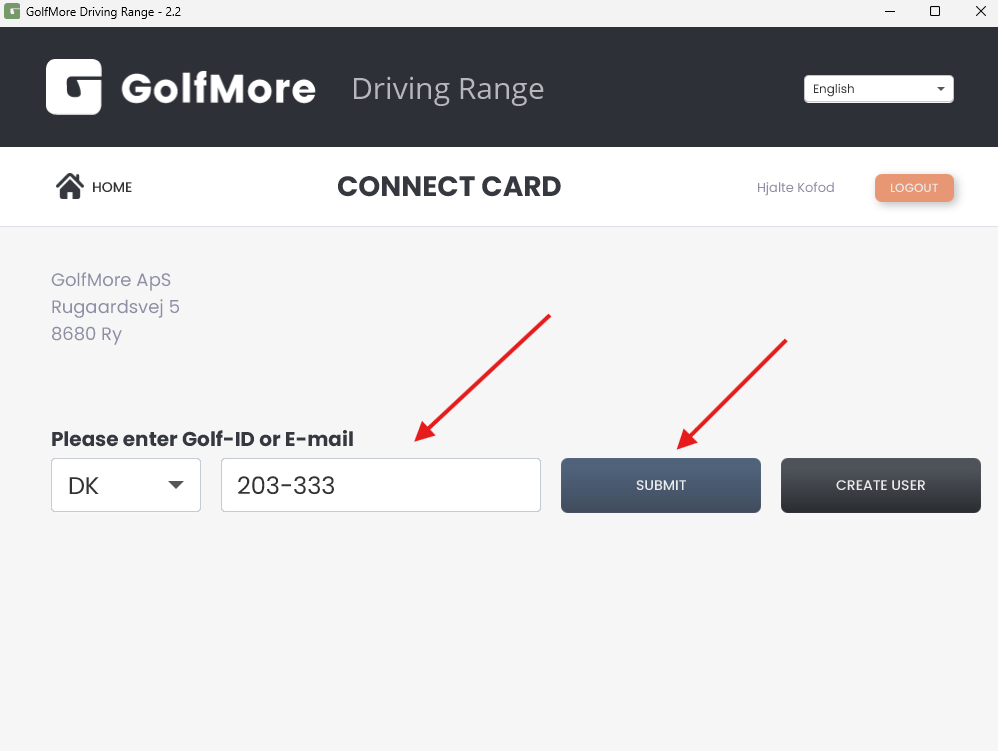
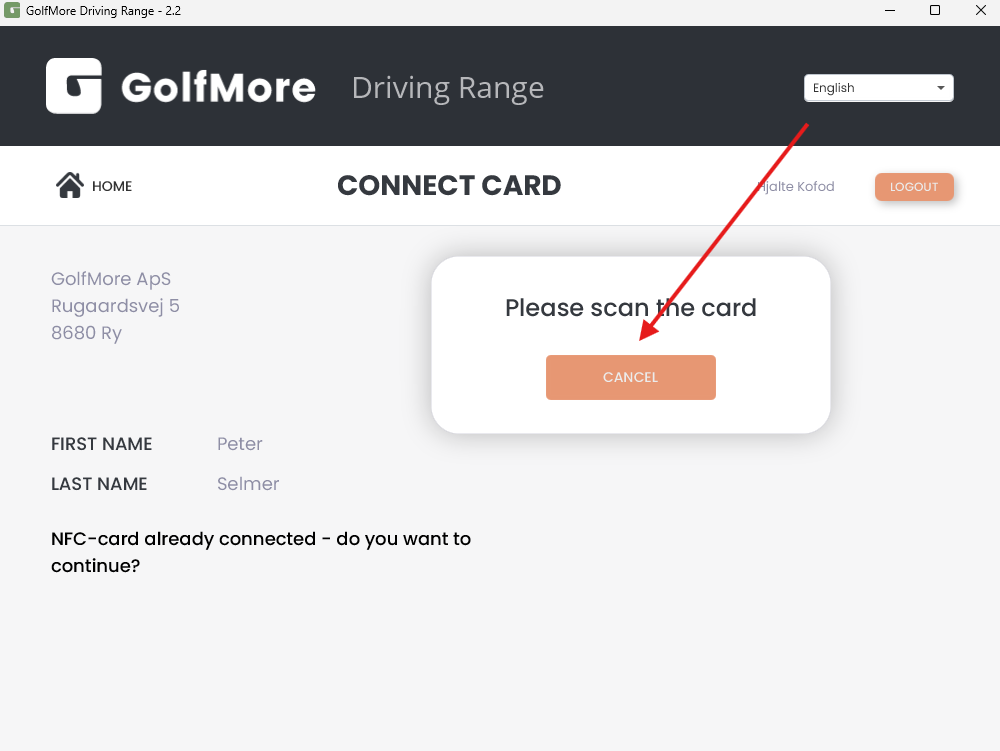
Afterward, you can then top up the card in the same way as in the app, and the player can choose whether they want to use the app or the card to dispense balls at the ball machine.
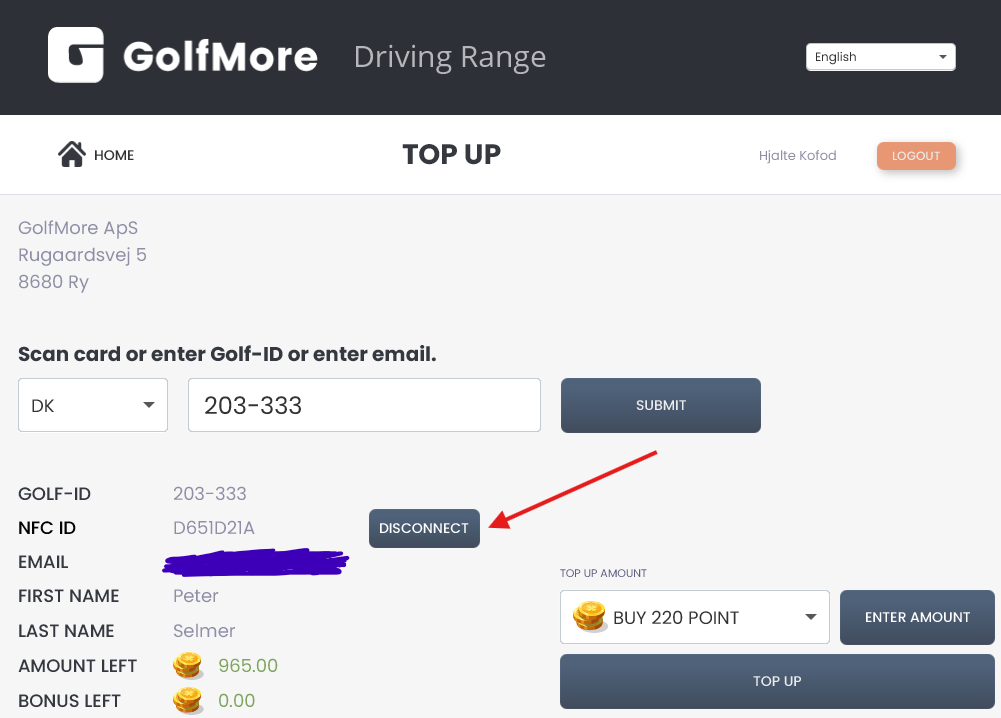
The card can be viewed on the player's account below, and can also be disconnected if it is lost or damaged.
Thank you for reading - feel free to contact us in case you have any questions, suggestions or general feedback